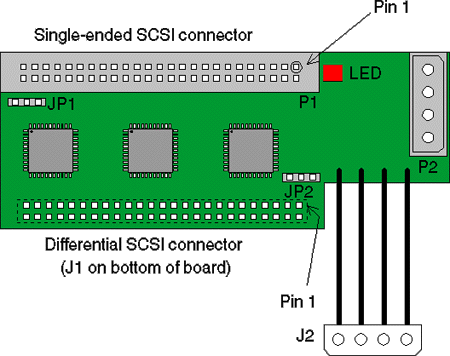
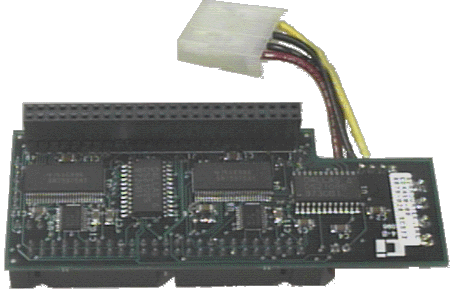
The SC-4000 Single-Ended/Differential SCSI Converter from MP Tapes.

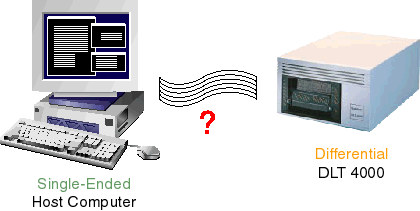
You have a host computer with a single-ended SCSI port and you want to connect it to a DLT 4000 tape drive that is differential SCSI. So how can you easily accomplish this?
The SC-4000 Single-Ended/Differential SCSI Converter from MP Tapes.
1. Connectors
There are two SCSI connectors on the converter board. P1, mounted on the top of the board, is the single-ended SCSI bus connector. J1, on the bottom of the board, is the differential SCSI connector. P1 is configured to accept a standard single-ended SCSI 50-pin ribbon-cable connector while J1 is configured to be plugged directly into a differential SCSI device in place of a cable. Both connectors are 50-pins with 0.1-inch spacing.
There are two power connectors. P2 accepts a standard nylon 4-pin power connector in common use for disk and tape drives. J2 is a “pigtail” connector that plugs into a standard power connector.
The intended standard installation of the converter board will be to plug J1 directly into a differential SCSI device (disk or tape drive), and plug a single-ended SCSI cable into P1. Power will come from the power supply to the converter via P2, and J2 will be used to transmit power to the disk or tape drive. Other installation configurations are possible by the use of cable adapters and sex-changers.
2. Jumpers - There are two jumpers on the board
JP1 controls the terminators for the single-ended SCSI bus. A jumper placed across pin positions 1 and 2 will enable termination, and a jumper across pins 2 and 3 will remove termination. If no jumper is present, termination is enabled.
JP2 controls the terminators for the differential SCSI bus. A jumper placed across pin positions 1 and 2 will enable termination, and a jumper across pins 2 and 3 will remove termination. If no jumper is present, termination is enabled.
Note: JP3 is a connector used only during manufacturing and testing of the board.
3. LED
The red LED will come on when a SCSI cable is plugged in backwards, or when a single-ended cable is plugged into the differential socket or vice versa. It may also light when there is a major problem with the SCSI cabling or termination anywhere in the system. Whenever the LED is on continuously, the SCSI converter is disabled to prevent damage.
The LED will also flash briefly whenever any SCSI device performs a bus reset. If the light flashes frequently, it may indicate a cable or system problem.
DLT is a trademark of Quantum Corp.